Online Appointment Requests Overview
|
The Online Appointment Requests functionality is designed to work in conjunction with PatientAccess or a third-party integration such as axiUm Engage to allow patients the convenience to request their own appointments.  Key Features Key Features
Prospective Patients Workflow
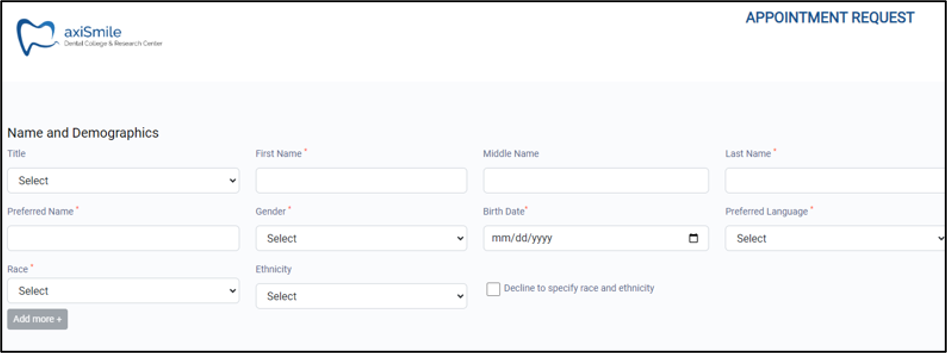
Prospective patients can access a publicly available, customizable Appointment Request webpage and submit an online request. The request may include a variety of patient information including:
Depending on status and email template configuration, patients may receive email notifications as the request is processed in axiUm. Example: A user views the request and searches for the patient record. When a matching record is not found, they create a new patient record. When the record is created, the request status is changed to INPROG and an email is sent to the patient, indicating that their request is being processed. At the completion of the request, the patient should be invited to register for PatientAccess, allowing them to complete forms and review information prior to their appointment. Tip: Add the link for the PatientAccess self-registration page in the email template used when the patient’s appointment has been scheduled. Existing patients Workflow
Existing patients can access a third-party integration such as the axiUm Engage portal and submit an online request. Depending on status and email template configuration, patients may receive email notifications as the request is processed in axiUm. Example: A user views the request and searches for the patient record. When a matching record is found, the request status is changed to INPROG and an email is sent to the patient, indicating that their request is being processed. At the completion of the request, an email is sent to the patient, indicating that their appointment has been scheduled. Important: Your institution must determine which approach best meets its needs. You cannot use online requests for both prospective and existing patients. Note: Prior to 2025.3, the Online Requests sub-tab was only available for institutions that purchased PatientAccess 2.0. Staff members can easily complete any of the following to manage the requests: Example: You can configure axiUm to change the request’s status to SCHED (Appointment scheduled) when an appointment has been created and scheduled for the patient. Example: When an appointment is scheduled for a request, an email can be automatically sent to the patient with the appointment details and a link to PatientAccess to complete any necessary medical forms ahead of time. Access
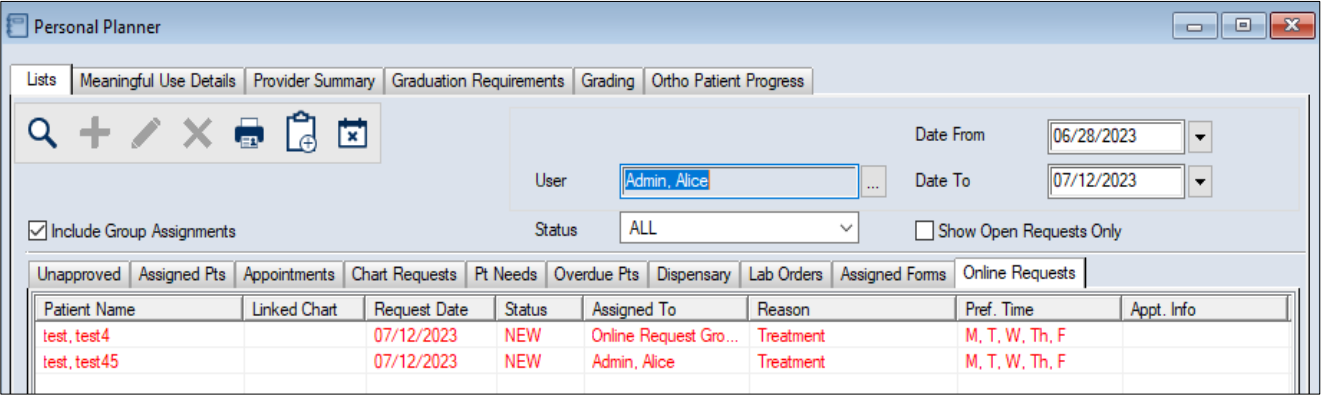
Online requests are accessed through the Personal Planner module > Online Requests tab. You can open online requests in the Personal Planner module using one of the following methods:
Organization
The Personal Planner module > Online Requests tab is made up of an upper pane and a lower pane. The upper pane contains a variety of search criteria fields and activity buttons.
Reports
You can run a custom report from the Info Manager module > Clinic Mgt tab to help monitor online request activity. You use this report the same as other Info Manager reports. You can customize, create, filter, save, and print or export it.
|
 ) icon, then click the Online Requests tab.